

Your laptop screen is the one surface you stare at for hours every day. A plain default background can feel flat after a while. Fresh aesthetic wallpapers turn that space into something calm, fun, or inspiring without changing a single setting on your machine. Right now people want looks that feel personal and a little imperfect rather than perfect AI gloss. Nature scenes, soft textures, neon nights, and cozy study corners all rank high. This list gives you thirteen ready-to-try styles that work on both Windows and MacBook screens. Each one includes what it looks like, why it suits daily use, real examples, and a quick tip so you can download and set it in minutes.
Quick answer: Pick a high-resolution image that matches your screen ratio, download it from free sites like Unsplash or WallpaperAccess, then set it as your background in system settings. The thirteen styles below cover calm nature, soft pastels, neon city nights, and textured minimal looks that stay popular.
| Style | Best For | Mood | Resolution Tip |
|---|---|---|---|
| Biophilic Forests | Focus | Calm green | 4K native |
| Soft Minimal Gradients | Work | Clean quiet | Any 16:9/10 |
| Cottagecore Meadows | Cozy | Warm rural | High detail |
| Dark Academia | Study | Moody books | Deep blacks |
| Coquette Pink | Playful | Soft feminine | Pastel tones |
| Cyberpunk Neon | Night | Electric | OLED friendly |
| Vaporwave Retro | Fun | Nostalgic | Bold color |
| Abstract Neon Geo | Modern | Sharp lines | 4K+ |
| Lo-fi Anime | Study | Quiet vibe | Soft edges |
| Frutiger Aero | Clean | Glassy tech | High gloss |
| Y2K Chrome | Bold | Shiny plastic | Reflective |
| Tactile Textures | Subtle | Soft touch | Close-up detail |
| Scrapbook Notes | Personal | Imperfect | Mixed media |
Relative appeal of wallpaper styles for daily laptop use
1. Biophilic Maximalist Forests
These wallpapers show dense green canopies, layered moss, deep forest floors, or misty tree lines. The colors stay in earthy greens, soft browns, and cool blues. Light filters through leaves in a natural way that feels restful on the eyes.
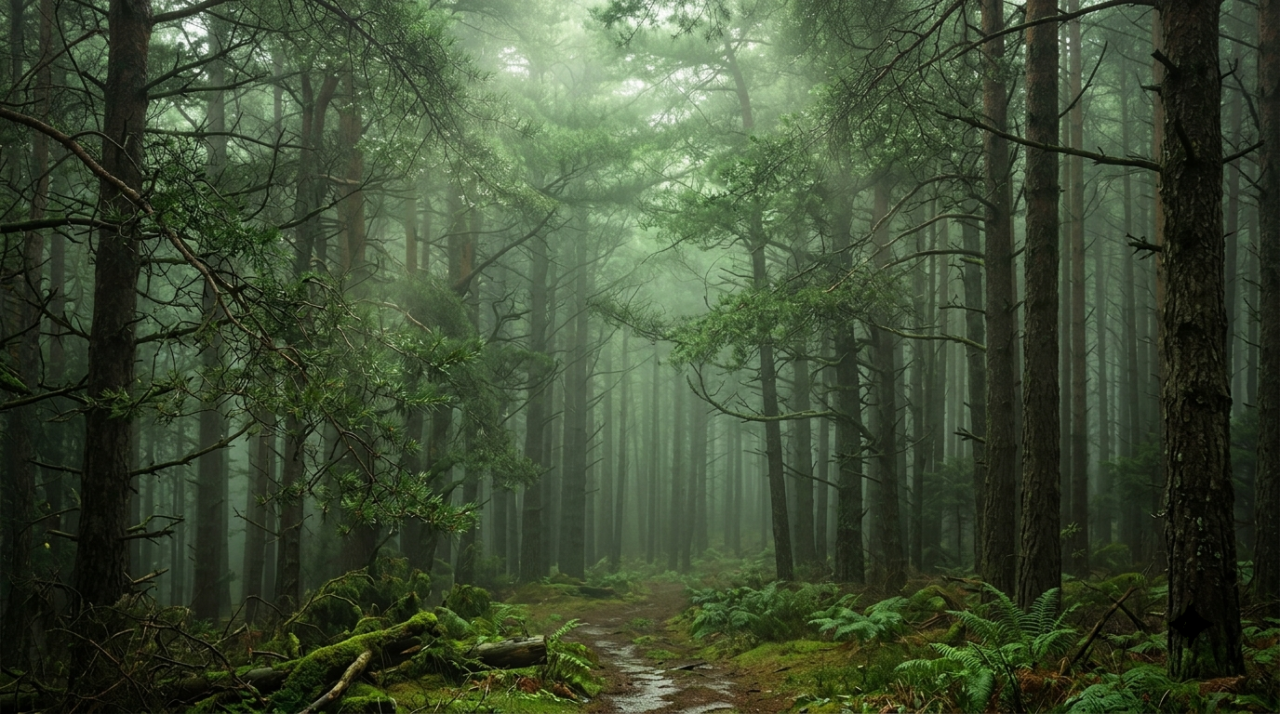
Long screen hours can drain focus. Green nature scenes help many people feel calmer and more grounded. They work especially well on larger laptop panels where the detail has room to breathe. Darker forest versions also pair nicely with dark mode apps.
Look for misty pine valleys at dawn or rain-soaked rainforest canopies. Some versions include soft fog that keeps the center of the screen free of busy branches so icons stay easy to read.
Search Unsplash or Pexels for “misty forest 4K” or “biophilic desktop.” Download the highest resolution that matches your screen ratio. On Windows open Settings, then Personalization, then Background and browse to the file. On a Mac right-click the desktop, choose Change Wallpaper, and add the photo.
2. Soft Neutral Minimal Gradients
These are quiet washes of color that shift gently from one soft tone to another. Think porcelain blue fading into warm cream, or pale gray meeting desert rose. No hard lines or busy shapes appear.
They keep the desktop feeling open and uncluttered. Text and icons stay readable in both light and dark modes. Many people choose them for workdays because the background never competes with open windows or documents.

Popular versions use two or three muted tones only. Some add the lightest texture of paper or soft grain so the surface does not look completely flat.
Sites like WallpaperAccess and Wallpapers.com list many “soft gradient 4K” files. Pick one sized for 16:9 or 16:10. Set it once and it rarely needs changing because the look stays timeless.
3. Cottagecore Wildflower Meadows
Soft fields of wildflowers, mushrooms, butterflies, and ivy vines fill these images. The palette leans sage green, cream, dusty rose, and warm ochre. Everything feels handmade and gentle.
This style brings a slow, rural feeling to a digital desk. It suits people who want their screen to feel like a quiet outdoor break. The muted colors reduce eye strain during long reading or writing sessions.
You will find watercolor meadow scenes and simple folk-art florals. Some keep the horizon low so the sky stays open for the clock and menu bar.

Search for “cottagecore wallpaper desktop” on free sites. Choose images with enough soft space around the edges. Download in the highest quality available and set it the same way as any other photo background.
4. Dark Academia Bookish Scenes
Old books, antique botanical prints, tartan plaids, celestial charts, and deep wood tones define this look. Burgundy, forest green, and gold accents sit against dark backgrounds.
It creates a serious, focused atmosphere that many students and writers love. The dark base works well with night-mode apps and reduces glare on evening sessions. The scholarly details give the desk a quiet personality.
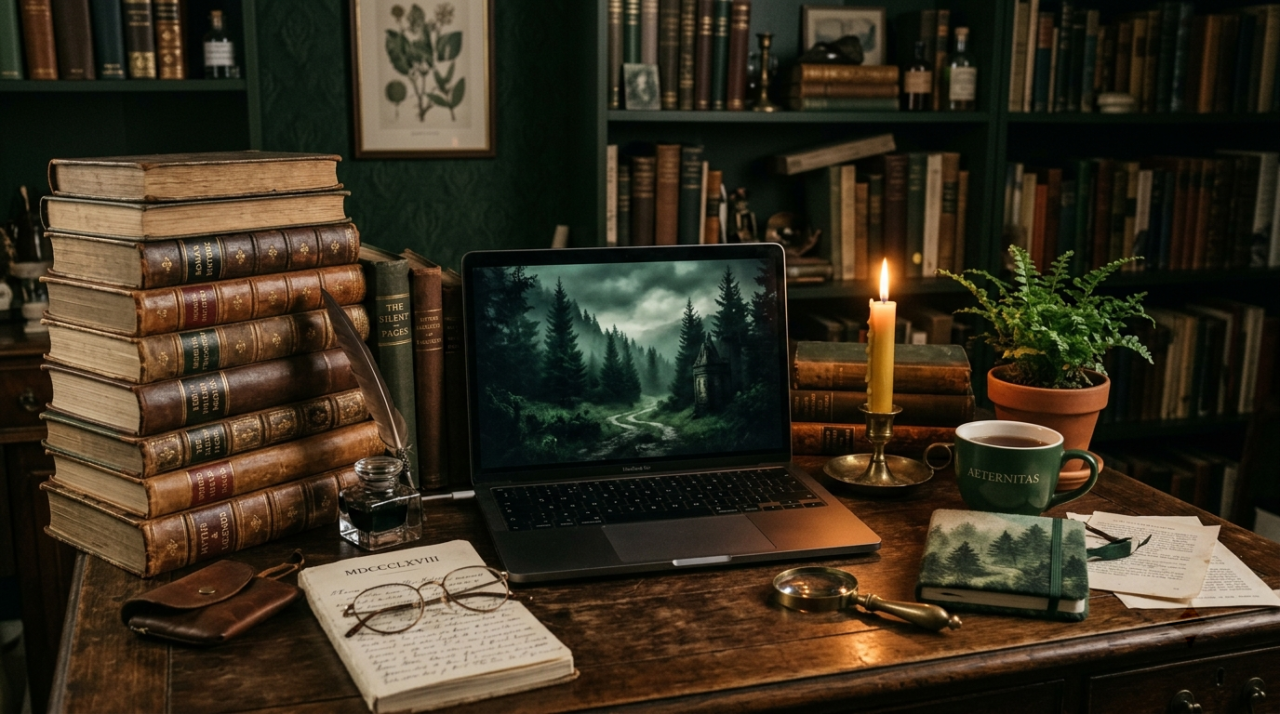
Common versions show stacked leather books with soft candle light or a desk covered in maps and dried flowers. Keep the busiest part of the image away from the taskbar area.
Look on WallpaperAccess or Pinterest boards tagged dark academia desktop. Download a 4K file if your screen supports it. On a MacBook the deep blacks look especially rich on Retina panels.
5. Coquette Ballet Pink Accents
Soft pink bows, pearls, ribbons, lace edges, cherries, and delicate florals sit on cream or ballet-pink backgrounds. The mood is playful and romantic without being loud.
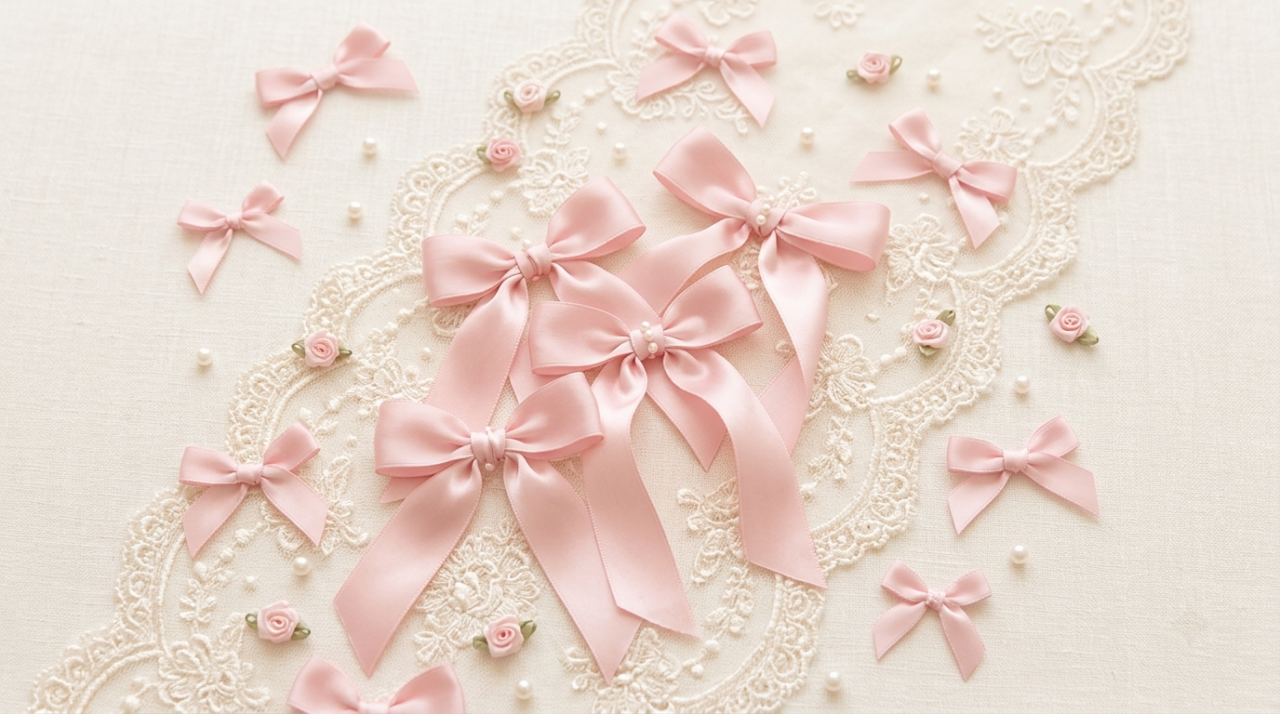
This style has stayed popular because it feels light and cheerful. It works for people who want their laptop to feel personal and a little fancy. The pastel tones keep the screen soft on the eyes.
Some versions use only a few bows and a soft gradient. Others mix lace textures with tiny cherries. Avoid heavy patterns near the bottom edge so the dock or taskbar stays clear.
Search “coquette desktop wallpaper” or “ballet pink aesthetic laptop.” Free sites offer many options. Set the image to fill the screen so the soft edges stay visible.
6. Cyberpunk Neon Rain Streets
Rain-slick streets, glowing kanji signs, purple and teal neon, and reflective puddles create these night city scenes. The overall feeling is electric and a little cinematic.
They look striking on OLED or high-contrast laptop screens. The dark base with bright accents gives a modern gaming or creative energy. Many people use them for evening work or late-night coding sessions.
Popular takes include a lone figure under an umbrella or a wet alley with layered neon signs. Keep the brightest lights away from the center if you want icons to stay easy to see.
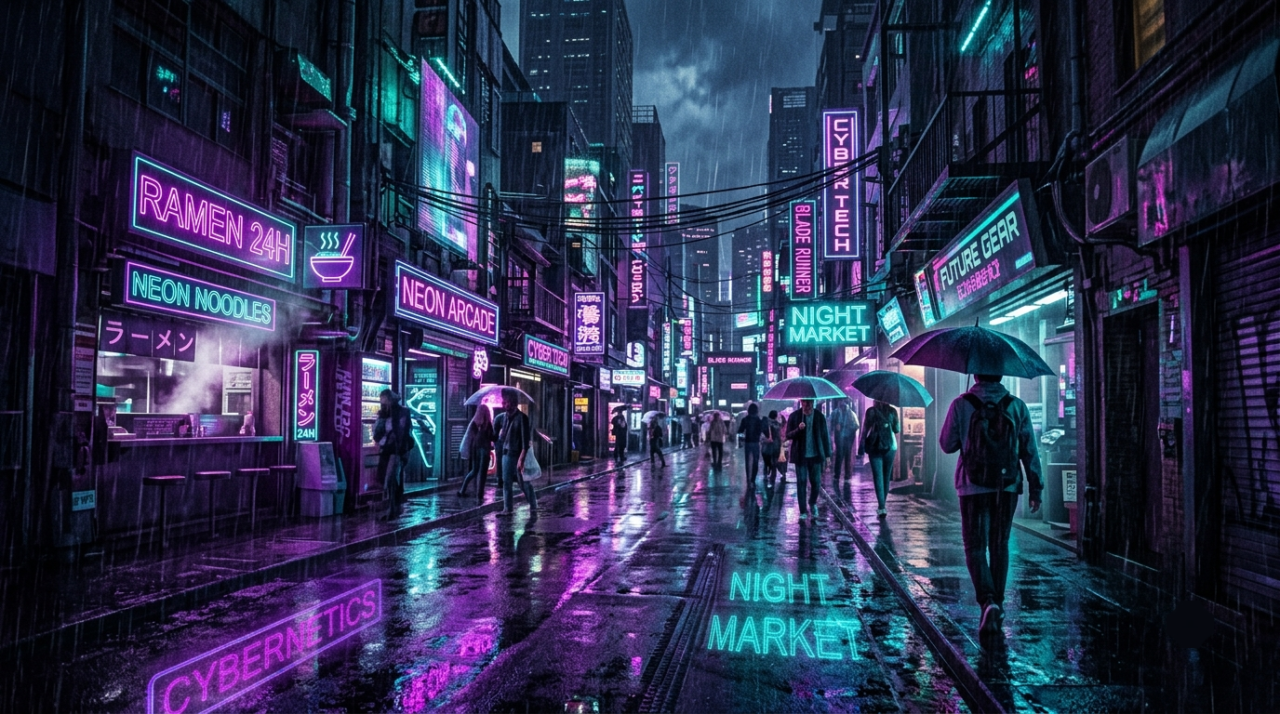
Wallpaper Engine has animated versions, while static 4K files sit on WallpaperAccess and similar sites. Download the native resolution for your panel and set it through system settings.
7. Vaporwave Retro Grids
Pink and purple sunsets, chrome grids, marble busts, palm trees, and soft 80s or early 90s computer graphics fill this style. The colors feel nostalgic and playful.
It brings a light, fun mood to the desk without looking childish. The bold but soft palette works well for creative work and keeps the screen interesting during long days.
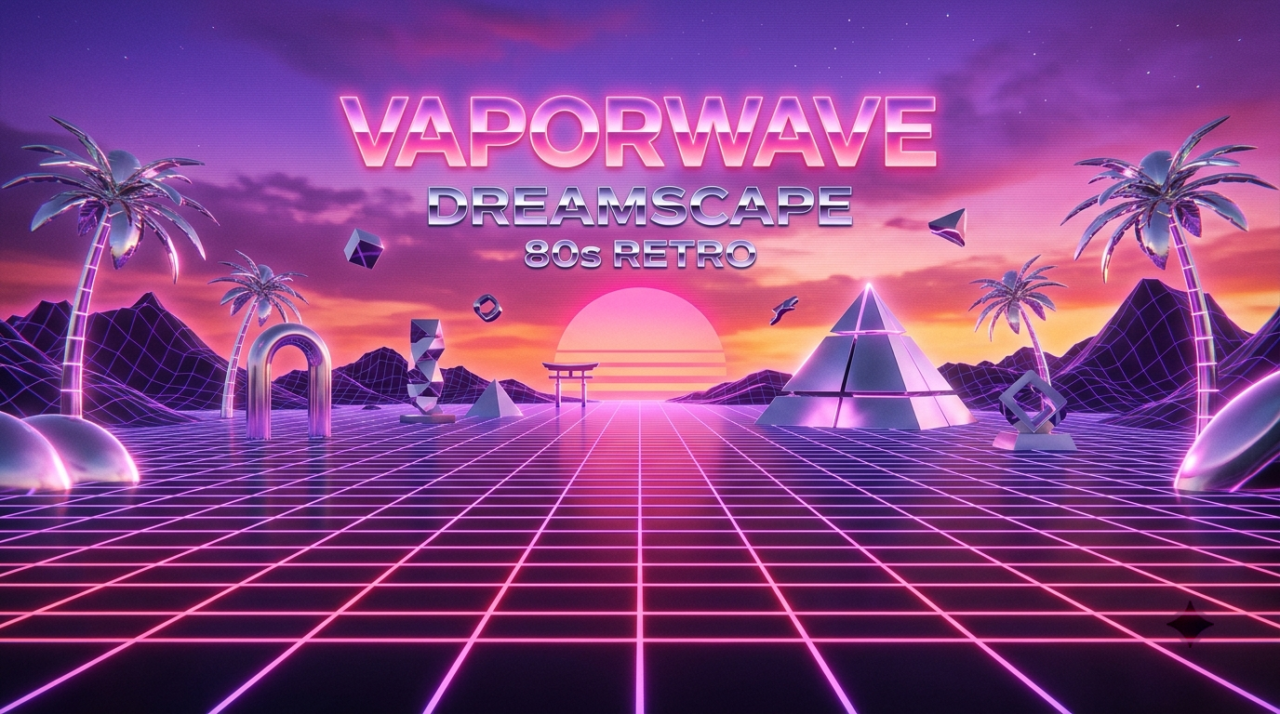
You will see classic grid floors stretching into a neon sunset or a classic car under purple light. Some versions stay more abstract with just the color wash and a simple shape.
Search “vaporwave wallpaper 4K” on free download sites. Choose a file that matches your aspect ratio so the grid lines stay straight. Set it and enjoy the retro feel.
8. Abstract Neon Geometric
Clean lines, glowing polygons, soft neon tunnels, and layered geometric shapes create these modern abstract backgrounds. Colors often mix electric blue, magenta, and deep black.

They give a sharp, intentional look without visual clutter. The high contrast works well on both IPS and OLED panels. Many designers and students pick them because the shapes feel ordered and calm.
Examples include neon polygon meshes, cyan spirals, or simple black geometric layers with one bright accent. Keep the brightest glow away from the top menu area.
Sites such as Backdrova and WallpaperAccess list many recent abstract 4K files. Download the size closest to your native resolution and apply it through personalization settings.
9. Lo-fi Anime Study Corners
Soft anime-style rooms, rainy windows, quiet desks with warm lamps, and gentle city skylines at dusk define this look. Colors stay muted with dusty pinks, warm ambers, and faded blues.
The style feels cozy and focused. It is popular for study sessions because the calm atmosphere supports concentration. The soft lighting reduces harsh contrast on the screen.
Common scenes show a desk with books and a window view of soft rain or a quiet rooftop at golden hour. Characters usually appear small or from behind so they do not dominate the space.
Search “lofi anime desktop wallpaper” or “anime study aesthetic.” Many free collections exist. Choose a high-resolution still and set it as your background. Some people also use soft animated versions if they run Wallpaper Engine.
10. Frutiger Aero Glassy Aqua
Glossy aqua blues, fern greens, glassy bubbles, soft white highlights, and clean tech-inspired shapes make up this style. It recalls early 2000s computer interfaces with a fresh, optimistic feel.
The look feels bright and airy. It pairs well with modern interfaces and gives the desktop a light, polished energy without looking busy. Many people enjoy it for daytime work.
You will find soft gradients with faint glass or water effects, or simple nature shapes rendered in a shiny, translucent style. Keep the brightest areas away from the center so icons remain clear.
Search “Frutiger Aero wallpaper” or “glassy aqua desktop.” Free photo sites and wallpaper libraries carry recent versions. Match the file to your screen size and set it in system settings.
11. Y2K Chrome and Holographic
Shiny silver, hot pink, lime, and holographic reflections define this bold style. Plastic-looking surfaces and early internet graphics create a loud, optimistic mood.
It brings high energy to the screen. People who like strong color and a playful tech feel often choose it. The reflective surfaces look especially good on high-brightness panels.
Examples include chrome objects under holographic light or simple shapes with rainbow edge glow. Use versions that leave some quieter space so text stays readable.
Look for “Y2K chrome wallpaper” or “holographic desktop” on free sites. Download a 4K file if possible. Set it and enjoy the shiny, retro-futuristic vibe.
12. Tactile Linen and Plaster Textures
Close-up photos of linen fabric, soft plaster walls, woven stripes, or subtle paper grain fill these wallpapers. The colors stay neutral: oatmeal, soft charcoal, warm white, or pale clay.
They give the screen a quiet, physical feeling without any distraction. The soft texture reduces the sense of staring at a flat digital surface. Many people prefer them for long work sessions because the background stays calm.
Some versions show hand-drawn imperfect grids over the texture. Others stay pure and simple. High resolution is important so the weave or grain stays crisp.
Search “linen texture wallpaper 4K” or “plaster desktop background.” Free photo libraries often have excellent options. Set the image to fill the screen for the best texture effect.
13. Imperfect Scrapbook Collages
Torn paper edges, handwritten notes, soft stickers, faint tape marks, and mixed media pieces create these collages. The overall look feels personal and a little messy on purpose.
This style matches the current preference for human-made rather than perfect digital art. It makes the desktop feel like a private notebook or mood board. The soft edges and varied textures keep the eye interested without overload.
You can find versions with soft color washes over collage elements or simple note-app style layouts. Leave some open space so icons and widgets stay easy to find.
Search “scrapbook aesthetic wallpaper” or “notes app chic desktop.” Many recent free files exist. Download the highest quality available and set it through your system’s wallpaper settings. You can also make your own in a free editor if you want something fully personal.
FAQ
What resolution should I use for a laptop wallpaper?
Match your screen’s native resolution as closely as possible. Most laptops use 1920×1080, 2560×1440, or higher. A 4K file works well on high-resolution panels and still looks sharp when scaled down.
Where can I download free aesthetic wallpapers safely?
Unsplash, Pexels, WallpaperAccess, and Wallpapers.com offer large free collections. Stick to well-known sites to avoid unwanted downloads.
Do dark wallpapers save battery on a laptop?
On OLED screens yes, because black pixels use less power. On regular LCD or LED panels the difference is small. Choose the look you enjoy most.
How do I set a custom wallpaper on Windows and Mac?
On Windows open Settings, go to Personalization, then Background, and browse to your image. On a Mac right-click the desktop, choose Change Wallpaper, and add the photo from your files.
Can I use the same wallpaper on my phone and laptop?
Yes if the image is high enough resolution. Crop or choose a version that fits each aspect ratio so nothing important gets cut off.
Are animated wallpapers good for everyday use?
They look nice but use more battery and processing power. Static high-resolution images stay lighter and work better for long work sessions.
Conclusion
Your laptop wallpaper is one of the easiest ways to make daily screen time feel better. The thirteen styles above cover calm nature, soft pastels, neon nights, textured neutrals, and playful retro looks. Pick the one that matches the mood you want most days. Download a high-resolution file from a trusted free site, match it to your screen size, and set it in a few clicks. If you get tired of one look after a while, simply switch to another from the list. A fresh background takes almost no effort yet changes how the whole desk feels. Start with the style that first caught your eye and enjoy the small upgrade every time you open your laptop.
References
- Accio. “Trendy Computer Wallpaper 2026: Imperfect & Bold.” 2026. https://www.accio.com/business/trendy-computer-wallpaper
- Pattern Weaver. “Aesthetic Wallpaper Patterns — 12 Viral Ideas for Phone & Desktop.” 2026. https://patternweaver.ai/blog/aesthetic-wallpaper-pattern-ideas/
- Electronics Alibaba. “How to Choose Cool Wallpapers for a Laptop (2026 Guide).” 2026. https://electronics.alibaba.com/buyingguides/2026-laptop-wallpaper-guide-biophilic-textured-picks
- iScreen Blog. “Aesthetic iPhone Wallpapers: 100 + Curated Picks Across 12 Styles (2026).” 2026. https://www.iscreenapp.com/blog/iphone-wallpaper-aesthetic
- Wondershare Filmora. “10 Popular Websites to Download Aesthetic Wallpapers for Laptop.” 2026. https://filmora.wondershare.com/windows-tips/aesthetic-wallpapers.html
- Pexels. “Wallpapers & Backgrounds.” 2026. https://www.pexels.com/discover/wallpapers/
- Wallper. “How to Change Wallpaper on Mac: All Methods.” 2026. https://www.wallper.app/blog/2026/07/how-to-change-wallpaper-on-mac
- thecoderworld. “How to Change Desktop Wallpaper on Windows 11.” 2026. https://thecoderworld.com/how-to-change-desktop-wallpaper-on-windows-11/

jessy
Jessy Grace has spent over 5 years researching and writing about household energy, covering everything from gas and electricity tariffs to appliance efficiency and smart meter technology. With a background in [energy consulting / utilities journalism / consumer finance], [he/she/they] specializes in breaking down complex tariff structures, regulatory changes, and cost-saving strategies into practical advice homeowners can actually use. [Author Name]'s work draws on data from official regulators, utility providers, and independent consumer bodies to ensure every guide is accurate and up to date. When not writing, [he/she/they] tests energy-saving products firsthand and stays close to industry shifts, from renewable tariffs to price cap changes, to keep readers ahead of the curve.