


How does a reliable tolls and mileage calculator separate your actual road costs from random guesswork? Most drivers juggle fuel prices, vehicle weight, and transponder discounts without a clear system. Whether you are packing up for a summer cross-country move or planning a tight winter delivery schedule, accurate tracking saves money and prevents surprise bills. This guide shows you exactly how to map out routes, pick the right vehicle settings, and add fuel rates so you see every dollar upfront. Let us walk through the straightforward workflow.
Quick Questions and Answers
Question: How do you calculate tolls and mileage for a trip? Answer: You enter the origin and destination to lock in the route path. Then you plug in vehicle type, transponder details, and current fuel rates. The tool outputs distance figures, exact toll charges, and optional gas expenses. You combine those numbers to see your true trip total.
Question: What tools do I need to calculate tolls and mileage? Answer: You only need a web-based route calculator or a simple spreadsheet along with your start and end addresses. Advanced setups require your vehicle profile, transponder brand, MPG rating, and local fuel prices. Developers building custom spreadsheets may also need API access keys for live data pulls.
Question: Can I calculate tolls without knowing my mileage? Answer: Yes, most calculators estimate tolls purely from coordinates and vehicle class. You can skip mileage inputs entirely during the initial setup. Adding distance and fuel details later simply rounds out the budget breakdown for complete reporting.
Key Takeaways
- Route selection drives both mileage totals and toll plaza encounters.
- Vehicle class changes pricing faster than distance does.
- Transponder rates usually beat cash or camera billing by wide margins.
- Fuel efficiency sits outside toll math but dominates final trip budgets.
- Government portals offer the sharpest readings for specific state corridors.
What You Need
| Item | Purpose | Notes |
|---|---|---|
| Internet-connected device | Accesses online routing engines and state portals | Works on desktop or mobile |
| Exact start and end addresses | Feeds coordinates into the route engine | Pinpoint locations beat city names |
| Vehicle specifications | Triggers correct axle, height, and weight algorithms | Includes tires, trailers, and payload |
| Transponder account info | Pulls discounted rates instead of standard camera fees | E-ZPass, SunPass, I-Pass, or cash fallback |
| Current fuel price | Calculates estimated gas spend for the run | Check local pump rates or national averages |
| Company reimbursement policy | Sets your per-mile payout baseline | Usually tied to IRS annual updates |
Step 1: Establish Your Baseline Route

Start by plugging your departure point and final stop into the calculator field. Clear addresses work best. Type the street number, city, and zip code to avoid software guessing your intent. Once the system draws the path, it locks in the driving distance. That base number becomes your mileage anchor.
You can swap routing preferences here. Pick the shortest distance option if minimizing wear keeps you profitable. Choose the fastest time setting when deadline pressure pushes you toward highways. Some platforms auto-route around construction zones or low-clearance bridges too. Watch the map preview closely. If the line zigzags through unfamiliar neighborhoods, tweak the waypoints manually. Adjusting the path early saves headaches down the road.
According to TollGuru, entering precise coordinates helps their engine match the route to available toll plazas and transit lanes. The platform covers thirty-seven states with updated pricing grids. You get instant breakdowns once the path locks in. Always double-check the highlighted corridor before moving forward.
Step 2: Select the Correct Vehicle Class

Toll networks do not charge every driver the same amount. They grade vehicles by axles, tire count, and overall footprint. Picking the wrong class triggers incorrect quotes. You might underpay during audits or overpay when checking your own wallet.
Open the vehicle menu on your chosen calculator. Look for categories like two-axle car, sport utility vehicle, pickup with four wheels, six-wheel truck, or models hauling a single trailer. Commercial fleets often carry three or more axles. Heavy haulers can stretch past nine axles depending on the load. Match your rig exactly. If your vehicle falls between categories, lean toward the heavier tier to avoid fines.
Research from Tollsmart notes that passenger-focused tools frequently cap calculations at standard two-axle cars. Truck operators and RV owners should switch to professional engines built for commercial weights. Selecting the right class instantly reshapes your quote. The difference sometimes hits fifty percent on busy corridors.
Step 3: Enter Weight and Height Constraints
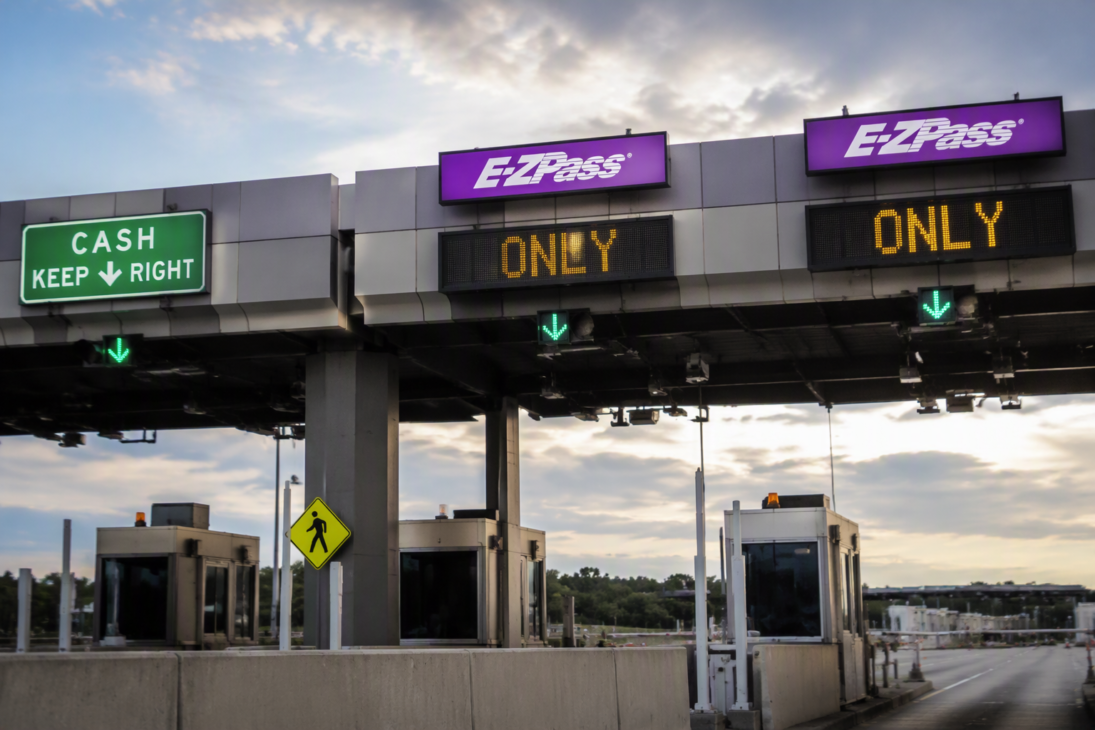
High bridges and narrow tunnels sit everywhere. Toll authorities enforce strict clearance rules. Ignoring those limits gets you rerouted at best and ticketed at worst. Calculators factor physical dimensions into both safety routing and dynamic pricing.
Type your loaded height and total gross weight into the dedicated fields. Standard sedans usually sit under fifteen thousand pounds. Pickup trucks with heavy payloads or boat trailers cross that threshold quickly. Tall box trucks and fifth-wheel trailers demand attention too. Enter realistic numbers based on your current cargo. Empty runs look cheaper on paper but rarely reflect reality.
Adding these constraints tells the engine which lanes remain legal. It also flags plazas that charge premium rates for wide or overweight loads. The system adjusts toll matrices accordingly. You see the true cost instead of a optimistic baseline. Keeping dimensions accurate protects your schedule and your bottom line.
Step 4: Add Fuel Efficiency and Current Gas Prices
Tolls cover the road fee. Fuel covers the engine grind. Mixing the two gives you a real-world trip budget. You cannot drop fuel data into toll systems and expect automatic reimbursements, but combining them reveals your true margin.
Find the optional fuel section on your calculator. You will see three unit choices. Pick miles per gallon for US routes, kilometers per liter for metric regions, or liters per hundred kilometers for European drives. Enter your current EPA figure or average observed consumption. Modern diesel pickups often track differently depending on towing conditions. Round to the nearest whole number unless your onboard computer logs decimals.
Then input today pump price. Grab a quick screenshot of local station prices if volatility hits. Gasnas tracks regional fluctuations constantly, so checking local trends before departure pays off. Multiply distance divided by efficiency by fuel price to find your burn rate. Most platforms auto-sum this into a trip total column. Add that tally to your mileage reimbursement later. You now hold both halves of the puzzle.
If you manage a fleet of older diesels, reviewing maintenance schedules alongside fuel math keeps operating costs predictable. Poor turbo health quietly destroys efficiency overnight.
Step 5: Choose Your Toll Payment Method
Payment tags unlock lower rates. Cash windows cost more. Camera billing charges the highest. Your calculator reflects all three tiers when you pick an option. Selecting incorrectly skews your estimate.
Look for the payment dropdown. Choose your active transponder brand. E-ZPass works across the Northeast and Midwest. SunPass dominates Florida corridors. I-Pass covers Illinois highways. TollGuru automatically applies tagged rates at compatible plazas. It switches to cash or video rates at stations that lack reader coverage. That hybrid approach mirrors how toll roads actually bill drivers.
If you travel exclusively by cash or pay-as-you-go license plate billing, select those options instead. Those methods carry steep penalties in many states. You will see higher numbers immediately. The shift highlights why tagging stays mandatory for frequent travelers. Some calculators even flag plazas where your tag fails. They swap to camera rates automatically. The result matches your actual receipt.
Verify your tag account balance before hitting submit. Low balances trigger refusal gates. You end up paying cash anyway. Checking status first keeps the route clean and the quote accurate.
Step 6: Calculate Total Reimbursement and Final Totals
Business trips, client visits, and contractor jobs rely on per-mile payouts. You must separate that payout from the raw toll fee. Mixing them ruins expense reports and confuses tax filings. Run the numbers cleanly.
Take your confirmed route distance. Multiply it by your approved mileage rate. The IRS publishes updated annual benchmarks. Many companies clamp to those figures. Twenty-five miles at seventy cents per mile yields seventeen dollars and fifty cents. Write that down as your base reimbursement. Add your toll sum on a separate line. Roll the two numbers together for the final trip cost.
Spreadsheet users should build a simple formula row. Cell A holds distance. Cell B holds the rate. Cell C multiplies A by B. Column D pulls toll totals from your source sheet. Column E adds C and D. Drag that formula down. You create a repeatable tracker in minutes. Excel tutorial guides show this exact layout for fast monthly auditing.
Keep receipts handy. Print the calculator summary or save the PDF invoice. Pair it with pump slips and parking stubs. Clean records survive audits effortlessly. You also spot inflated charges quickly. The habit saves hours during quarterly reviews.
Tips
- Switch to desktop calculators when managing multi-stop freight runs. Mobile interfaces hide advanced weight and axle fields behind extra taps. Desktop layouts show everything at once.
- Save frequent routes as favorites. Planners let you store origins and destinations with preset vehicle profiles. One click reloads your defaults. You skip redundant typing.
- Watch for holiday surcharges. Certain express lanes hike prices during peak weekends. Calculators pull those markers automatically if you toggle the date picker. Adjust your departure window if flexibility exists.
- Verify transponder compatibility lists before crossing state borders. Some regional tags refuse acceptance on distant turnpikes. Cash fallback kicks in and raises your cost.
- Export route snapshots weekly. Screen captures or CSV downloads feed directly into accounting software. Manual entry invites typos. Automated exports keep ledgers pristine.
- Keep your phone charged near rest stops. Offline maps fail when cellular towers drop. A dead battery kills live toll verification mid-run. Carry a compact charger.
| Tool Type | Coverage Area | Vehicle Limitations | Cost Breakdown Depth |
|---|---|---|---|
| Web Calculators | Broad national and global coverage | Usually restricts to 2-axle unless upgraded | Shows tolls, fuel, and distance combined |
| Government Portals | Single-state or regional corridors | Limited to state highway systems | Highly accurate for specific turnpike networks |
| Spreadsheet Engines | Unlimited (API-driven) | Requires manual data entry and formula setup | Fully customizable reimbursement math |
| Mobile Apps | Regional and route-specific | Often simplifies vehicle options for speed | Quick visual estimates, less granular detail |
Mistakes to Avoid
Assuming every plaza reads your tag leads to painful surprises. Transponders drop signal frequently near interchanges and construction zones. Calipers fall back to camera billing. Those photo plates charge significantly more. Selecting a tag in your calculator hides that gap until the statement arrives. Always check the coverage map your tool provides. Note the cash fallback rows. Factor those higher rates into your plan.
Ignoring height restrictions breaks routing logic. Tall rigs get diverted to surface streets. Detours add miles and burn extra fuel. The original toll quote vanishes. Update your dimensional inputs before pressing generate. Small changes alter the entire path. Trust the numbers rather than hoping your bridge clearance is fine.
Mixing passenger calculators for commercial gear distorts pricing. Route engines treat five-axle trucks differently than standard SUVs. Axle grading shifts plaza fees dramatically. Using a passenger interface guarantees underquoting. Upgrade to a commercial-grade calculator immediately. The extra clicks prevent costly mismatch errors.
Troubleshooting
Run into a missing route alert? Check your address format first. City names alone confuse algorithms. Full street addresses with zip codes force the system to match precise coordinates. Remove abbreviations if the engine chokes. Spell out street and avenue completely. Sometimes hidden characters paste in from copied text blocks. Paste into a plain text editor first, then copy back into the form.
Stuck with zero toll results? Confirm your vehicle class matches a toll-capable category. Motorcycle and bicycle filters strip plaza fees entirely. Flip back to car or truck mode. You might also be viewing a non-toll corridor by accident. Toggle the highway filter or switch to a major interstate overlay. The engine will pull toll matrix data once a toll-bearing path appears.
Mismatched quotes from government websites happen often. Third-party apps blend multiple data streams. They smooth edges to give quick guesses. State portals hold exact municipal tariffs. Cross-reference stubborn discrepancies with official site calculators. New York State Thruway maintains a dedicated government tool for that corridor. Illinois Tollway runs a matching service too. Official numbers win during disputes.
Building recurring reports eats hours manually. Automate the pipeline instead. Connect Google Maps distance data with a toll API. Feed both into a spreadsheet macro. Set the script to refresh daily. You trade morning typing for passive dashboard updates. The workflow scales cleanly as client volume grows.
FAQ
Q: Does fuel efficiency affect toll prices?
Fuel consumption never touches toll matrices. Pricing relies on axles, width, and plaza design. Calculators attach MPG data to your budget tab instead of the toll tab. You see gas burn beside the road fee. Combining both numbers paints a full picture. Efficiency shifts the total trip cost. It leaves the toll charge untouched.
Q: Why is my quoted toll price higher than expected?
Cameras and cash windows carry penalty rates. Your tool likely pulled video billing instead of transponder pricing. Tagged accounts earn discount tiers at most plazas. Verify your payment selection matches your installed hardware. Switching to your active tag drops the quote instantly. Some calculators default to cash view until you override the setting.
Q: Do toll calculators include fuel cost too?
Many modern engines bundle gas estimates alongside road fees. You enter consumption units and pump price. The system multiplies distance against efficiency and current rates. It spits out a blended total. The output splits into toll, fuel, and distance rows. You get complete trip costing without manual arithmetic.
Q: How accurate are toll and mileage calculators?
Accuracy hinges on filled fields. Empty vehicle profiles force generic assumptions. Missing transponder data forces cash fallback defaults. Incomplete height or weight inputs warp routing paths. Supply complete details. Add tags, dimensions, and local fuel rates. Precision climbs sharply once you stop leaving blanks.
Q: Where can I calculate tolls for the New York State Thruway?
Visit the official New York State Thruway portal. The government-hosted tool targets that specific corridor. Pick your vehicle class. Enter origin and destination nodes. The engine returns exact distances and plaza charges. State systems update tariffs faster than third-party apps. Use them for audit backups.
Q: Are free toll calculators available online?
Yes. Several platforms host unrestricted public versions. Tollsmart offers free desktop and mobile access. You view toll costs without subscription walls. Basic distance tracking stays open too. Paid tiers unlock API exports and fleet analytics. Casual users never need those upgrades. Free tiers handle routine planning perfectly.
Q: What common mistakes cause wrong toll estimates?
Wrong vehicle class tops the list. Forgetting to input your transponder bumps you to cash rates. Choosing region-limited engines trips up cross-border travelers. Coverage gaps hide entire plazas. Double check class selection. Verify tag activation. Confirm regional support before trusting the total. Small corrections fix most mismatch errors.
My Experience With How to Calculate Tolls and Mileage Like a Pro
I used to eyeball route costs and eat the difference when the final statement arrived. That stopped working once my delivery radius expanded. I started running every job through a dedicated toll engine. The first test caught me red-handed. I had selected a standard car profile for a loaded pickup hauling equipment. The quote looked cheap until I added height and weight. The system flagged three plazas that switched to premium billing for my rig. That correction alone erased my profit cushion for the week.
The real breakthrough came when I locked transponder settings alongside pump prices. Watching the calculator swap camera rates for tagged rates made the savings obvious. I adjusted my departure windows to avoid holiday surcharge spikes. Saving route snapshots turned chaotic paper trails into clean digital folders. Auditors stopped chasing receipts. My back office finally breathed easier.
One habit changed everything. I run a simple spreadsheet that multiplies distance by my company rate, then stacks the verified toll total beneath it. The formula refuses to guess. It demands confirmed inputs. That friction forces better planning before I leave the driveway. Have you found a way to automate your expense stacking, or do you still wrestle with manual totals?
Conclusion.
Tracking road costs does not require expensive software or math degrees. You only need precise addresses, honest vehicle specs, and current fuel rates. Pick the right calculator for your route scope. Lock in your payment method. Add weight and height constraints. Run the numbers cleanly. Separate mileage payouts from toll fees before submitting reports. Stick to official state portals when doubts appear. Your future self will thank you when statements match projections exactly.
References
- TollGuru. (2026). US Toll & Fuel Calculator 2026 – E-ZPass, All 37 States. TollGuru. https://tollguru.com/toll-calculator
- Tollsmart. (2026). Tollsmart: Free Toll Calculator. Tollsmart. https://www.tollsmart.com/
- Tollsmart. (2026). Tollsmart Toll Calculator. Tollsmart. https://calculator.tollsmart.com/
- New York State Thruway Authority. (2026). Toll and Distance Calculator. New York State Department of Transportation. https://tollcalculator.thruway.ny.gov/
- Illinois Department of Transportation. (2026). Tollway Trip Calculator. Illinois Government Services. https://www.illinois.gov/services/service.tollway-calculator.html
- TollGuru. (2026). How to calculate tolls using TollGuru Trip Calculator. TollGuru Blog. https://tollguru.com/blog/how-to-calculate-tolls-using-tollguru-trip-calculator
- TollGuru. (2026). How to use TollGuru Toll Calculator to calculate tolls in the US, Canada and Mexico. YouTube Tutorial. https://www.youtube.com/watch?v=2HVpUMKzWD0
- Mileage & Toll Optimization Channel. (2026). Mileage Calculator with Tolls: Optimize Your Routes and Budget. YouTube Tutorial. https://www.youtube.com/watch?v=W0m79IKjYjw

jessy
Jessy Grace has spent over 5 years researching and writing about household energy, covering everything from gas and electricity tariffs to appliance efficiency and smart meter technology. With a background in [energy consulting / utilities journalism / consumer finance], [he/she/they] specializes in breaking down complex tariff structures, regulatory changes, and cost-saving strategies into practical advice homeowners can actually use. [Author Name]'s work draws on data from official regulators, utility providers, and independent consumer bodies to ensure every guide is accurate and up to date. When not writing, [he/she/they] tests energy-saving products firsthand and stays close to industry shifts, from renewable tariffs to price cap changes, to keep readers ahead of the curve.